Hey~
I'm new to this so forgive me if this has already been answered. Does anyone know if the LG 4G LTE USB Modem VL600 will work with the network extender?
The Verizon people don't know..... some say it will, some say it won't. Thanks
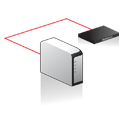
The network extender will not work with the USB modem. The primary purpose of the extender is for use in weak cell phone signal areas that are served by wired/fiber DSL or Broadband connections - the cell phone signal is transmitted to you (Network extender) via a broadband connection. The skimpy antenna is useless if you have an outside weak cell signal and no wired broadband...
For the VZ USB modem data package in a very weak cell signal area you will need a cell signal amplifier (Google this). This I have done and get a very strong cell signal (three - four bars) compared to the original one bar signal. The cell phone works great! The VZ 3G/4G USB modem I plug directly into the computer for now and receive an amplified 3G signal that is a solid two to three bars - the cell amplifier does this in a transparent way. However my speeds are limited and throttled by Verizon at times down to 50kbps speeds even though the signal strength (seen in VZAccess Manager Stats) remains constant. See my 3G Broadband issues post from yesterday afternoon.
The speed issues and inconsistency of service have put a hold my installing a wireless router (check Cradlepoint MBR 95) that will accept the VZ USB modem and then turn into an in house WIFI or Ethernet signal. This router is used in conjunction with the boosted signal from the cell phone amplifier.
The network extender is essentially useless to you if your purpose is to boost a cell signal for USB modem data package use.
Regards...
The network extender does not support 4G so that part wont work but all else should function but if I don't understand why you would want to do that because the router that you would be connecting the modem to by wifiwould be the default connection..
Wouldn't it be easier to connect directly to the wifi on the router without using the modem because the source of the connection will be the same as connection to wifi, actually probably better?
Wildman~
Thank you for your reply.
OK, No 4G support.... I can live with that. The thing is, I'm in a rather remote location. There is no WiFi, I'm not using a router.
The USB Modem is getting it's signal from the nearest cell tower....15-20 miles away. Rarely have I seen 3G service, mostly it's 1X, or Extended, or Enhanced Extended service.
So does the USB Modem plug directly into the network extender?
The Network Extender makes connection through your broadband connection in your home or business with a network cable but you would have to have a router to connect the internet to pc and use the Network Extender, so if you have broadband connection and using a router, most routers has wireless receiver.
http://support.verizonwireless.com/video/product/network_extender/index.html
1
2
3
4
Maybe I'm being dense, but please bear with me.
I have read thru all the network extender setup info before.
It says, "The Network Extender is compatible with Verizon and other broadband Internet services like fiber optic, DSL, and Cable. Simply connect the Network Extender to your broadband router using the Ethernet cable provided with purchase."
It dosen't mention USB phone modems.
I'm not using a router. I just plug the USB modem into the USB port on the computer. Is the "broadband router" mentioned above the same thing as a USB modem? I don't think so. Maybe I'm wrong.
Does the Ethernet cable provided have a female USB connecter on one end? If it dosen't - it ain't gonna work.
It's an after thought but . . .
I live below a canyon rim at 6000 feet where there is no DSL, cable, and, in my case, no satellite view. However, beyond the canyon rim at about 7 miles is a Verizon cell tower. I have Verizon's UML290 USB modem that has a 3G and 4G antenna port and use this Verizon antenna. It's only about 4-inches tall with a three-foot cable. I mounted it on my roof (cemented a steel plate on the roof and attached the antenna via it's very strong magnet), drilled a hole through to the ceiling (or you could go through the side of the house), then attached a 10-foot male/female USB cable (Amazon $2) to my computer and went from 2 to 4 bars. I've been using this setup for two months and have received uninterrupted coverage. With a new plan, I got the modem free (certified pre-owned) but it has the same one-year warranty as a new modem. (I'm told that most of the certified pre-owned modems are open box items and have never been used). Depending on where you are with your existing plan or if you could upgrade it might work for you. Otherwise it seems you would have to go with a repeater whose costs are going to increase with the amount of gain needed.
Monk
Hey Monk~
I can appreciate your situation. Glad an external antenna helped your problem.
My problem has also been solved. It seems that Verizon very recently bought a competitors tower and put their equipment on it. My signal strength went from very weak 1X to 4 bars of 3G overnite. I like a happy ending.
Regards
Good deal, Prairiewind . . .
I agree: happy endings are the best!