In the Event that you would have to do a F.R. Better Known as a Factory Reset for your Razr it Best to know how to Go thru the Steps An with a New Update Around the Corner Some of Us just might have to Do it. If our Razr Act un responsibly.. Here's the Tips for a Reset.. B33
How do I reset my DROID RAZR to default settings?
How do I reset my phone to factory settings?
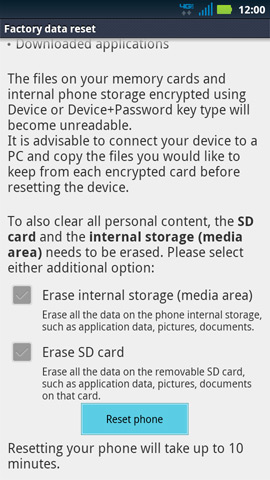
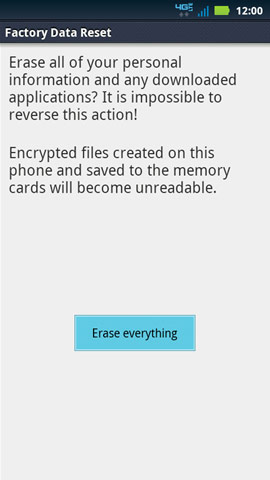
Factory Data Reset is a tool used to remove everything that was imported, added or installed on the device. Keep in mind, when using this feature everything is deleted. Nothing stored on the MicroSD or the internal phone storage will be affected unless you choose to erase it as well.
Factory Data Reset
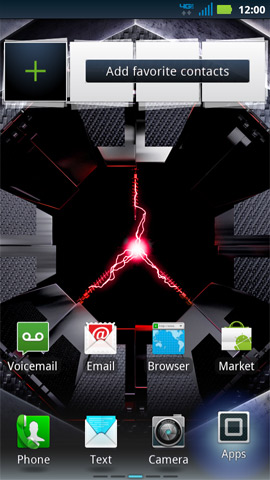
- From the screen of your phone, press the Menu button
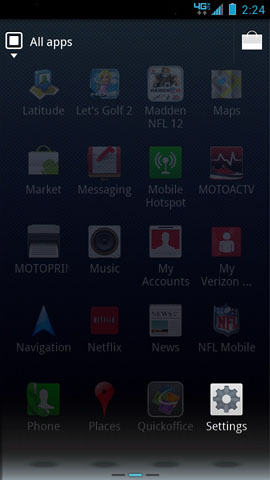
- Tap Settings.
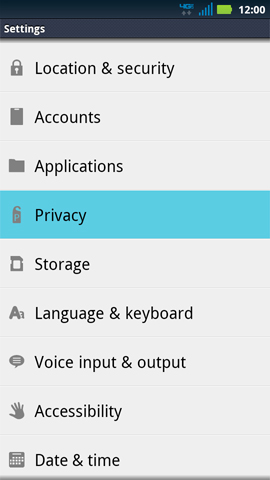
- Scroll down and tap Privacy
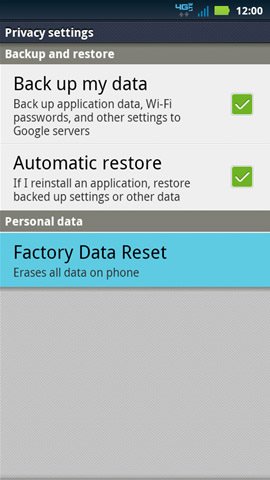
- Tap Factory Data Reset
- Check Erase internal storage if you would like to erase all the data on the phone internal storage such as applications, music, movies or photos.
- Tap Reset Phone
Perform a factory reset using external keysNote: It is highly recommended you use the above factory reset using the settings. If you are unable to navigate through the menu to perform a factory data reset, you can follow the steps outlined below:- Power up the phone by pressing the VOL UP + VOL DOWN KEY together + PWR KEY . This takes a few tries to get the pattern Down right as it did for Me.
- The device will enumerate with different BOOT OPTIONS
- Use the VOL DOWN Key to SCROLL and VOL UP Key to SELECT
- Select Recovery: You Have 5 to 10 to Sec. to Select this Feature or it will kick the Process out. An you will have to Start Over Again!!
- The device will start up with Motorola logo and power up to a little Android man logo with Exclamation mark
- Press the VOL UP and VOL DOWN Key together at this screen
- The device will display BLUE Text on a Black background .
- Use the VOL DOWN Key to scroll DOWN and the PWR Key to SELECT the option desired .
- In this case , press the VOL DOWN key till the Wipe data / factory reset is selected and press the PWR key to confirm the selection .
- Use the VOL DOWN key again to select YES - delete all user data and press the PWR key toCONFIRM .
- The device will then start performing the Factory Data Reset
- Once the Formatting is complete , press the PWR key to confirm a REBOOT
- The message rebooting is displayed on the phone.
- The device will reboot and start the normal power up sequence .
I want to Add: the bottom instructions can be on the frustrating side for the first time you try the reset as i found out first time i tried to go into it but after a couple tries an a few pulled hairs i got it.