Just got my Motorola Ultra and, so far, so good. But, where is the return key on the keyboard? How do I start a new line of topic when texting/emailing?
I had the same problem and it took me forever to find the answer. Here is the ANSWER!
Go to Settings>Language and Input. Tap Default and select Google Voice Typing.
When you go back to your keyboard the microphone will be there.
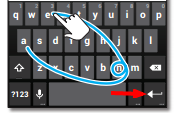
The arrow key pointing to the left, on the right side by the spacebar. Indicated by the red arrow in the image below:
Hello
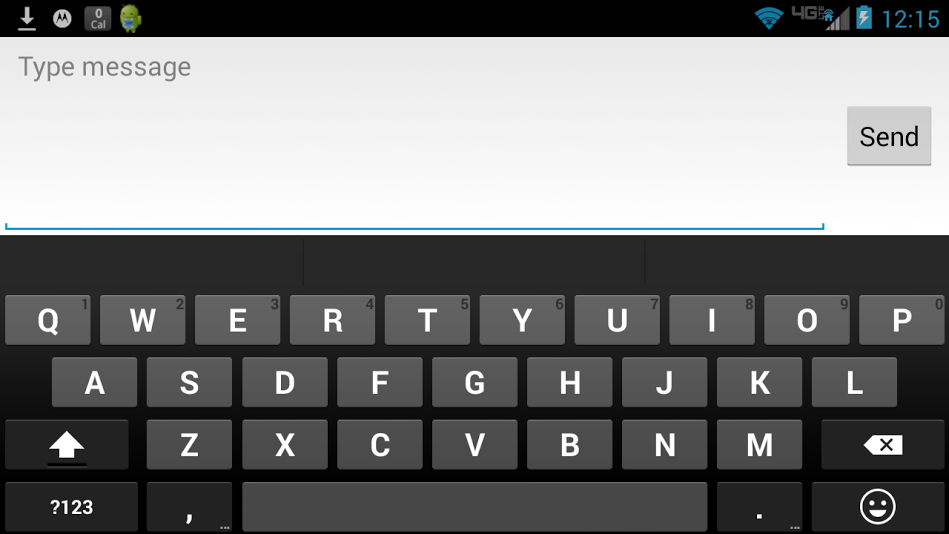
I also do not have that Return Key , there is the Smiley Face Key in that spot.
ALSO i HAD a Microphone key on the Left of the spacebar and now it has disappeared and been replaced with a Comma Key.
I have not installed any keyboard apps or anything that should have affected the Keyboard
I have checked all the settings in Language & Input, Removed & Reinstalled the Google Keyboard Updates and still no
Microphone or Return key.
Please Help
Thank you
Ryan
Droid Ultra
KitKat 4.4
Thank you thank you, I was so frustrated by losing the microphone icon .... I didn't even know how it happened but, I digress thank you for helping me!
That didn't work for me. Mine has the drawing application, not a comma.