How do I make sure applications are closed to save battery life?
you really don't need to, but if you would like to anyway, go to menu->settings->applications->manage applications->select the one you want to close and select force stop (if force stop is greyed out then it is not running). this is the traditional method. the razr may have an easier way. also, "task killer" apps can do it much quicker (although i DO NOT recommend task killers).
In ICS there is a quick way to manage running programs, there is a dedicated button to see running programs, if you want to close it you merely flick it to the left or right. I agree with AZSALUKI though, Gingerbread (and ICS) have internal task managers that close programs as necessary. I find that I still have to reboot my Maxx almost daily, or it slows down or freezes up. Otherwise the phone works quite well.
yeah....ICS has a very nice way of doing it....IF we had ICS....lol. i also reboot every day (right after a full battery charge) because it seems to keep the phone running very smooth (i have a tbolt). i also do it because i like to monitor the battery use and this resets the battery stats for me.
Yea, LOL, if we had it. I'm hoping it hits next week. I'm in the soak test pool at Motorola and haven't gotten an email yet. Are you in AZ, AZSALUKI? I'm in Scottsdale. My Maxx runs a lot smoother after I reboot it.
I do the Same here AZSALUKI with My Maxx and my Droid X
yeah. live at 7th street and the 101 and work near indian school rd and 32nd street.
It says the force stop "may cause an application to misbehave." Is this still recommended? Many of the applications running I'm not using, so they are probably draining my battery.
You don't need to do this all the time Roight you will drive yourself Nuts! Get yourself an app called System Panel App you can get either the Free one or the Paid Version for $2.99 an put it on your Phone..b33
Roight wrote:It says the force stop "may cause an application to misbehave." Is this still recommended? Many of the applications running I'm not using, so they are probably draining my battery.
Roight wrote:
not really. this is why i said you don't need to to do it, but you can if you really want. that being said, i've neve had any problems force stopping an app. it's never caused any issues. however, android is a lynux based system and you really don't need to close them. most apps running in the background are NOT going to drain your battery.....but if you have apps installed that push notifications (like words with friends or facebook) then you should disable the notifications (some allow this and some don't so you have to decide how much you want apps like ords with friends, for example, because it will run and constantly push notifications and you can't disable them). you will also notice that most of the apps running in the background will start themselves back up shortly after you force close them. running in the background is not draining your battery, but if they are actively running (like the apps that push notifications) then they are draining it some. for example, i have my email app only pull emails every hour, rather than have them pushed to my device, where it would constantly be searching for or downloading them. i'm not an expert or a tech guy, but this is how i understand it. google even claims that you should not run a task killer on the android OS.
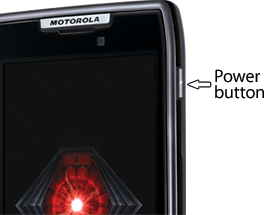
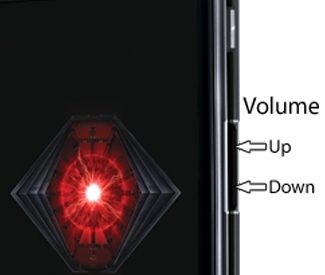
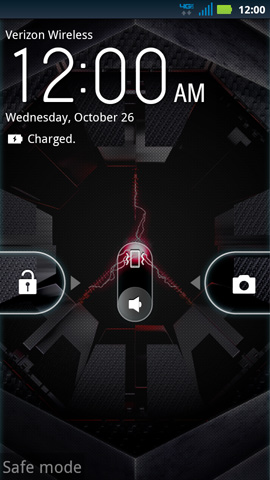
Roight i wanted Add if in the Event you think your really having a Issue with your phone and a App or Apps you can run your Phone in Safe Mode:
Here's How to Do that: And as i mentioned System Panel App will let you Know what your Phone is Doing an how Warm the Battery is.. Plus many other Features..
Safe mode is a method that allows the device to run without non-essential applications. This is beneficial for troubleshooting 3rd party applications.
Enable Safe modeDisable Safe mode
Enable Safe mode
Top
Disable Safe mode