i know how to change a notification tone but how do you add a tone to the existing tone list from my music? this is on a razr maxx
Hey there GPz1100! Setting your own music to tones can be done by selecting the music file from your music list on your phone, and then pressing and holding on the music file until a pop up menu appears offering you options like "Use as phone ringtone" or "Use as notification tone".Dion M.VZW SupportFollow us on Twitter www.twitter.com/vzwsupport
wrong! the razr maxx does not have the "save as notification tone" option. only save as ringtone. i was told the is an app that will do it but which one...
Good Point Dion an the app Zedge has Ringtone an Notification ringers as well that you can use on your phone But watch were you touch in the app meaning the Adds they will send ya Stuff if you touch on there are. Other than that its a good App.. b33
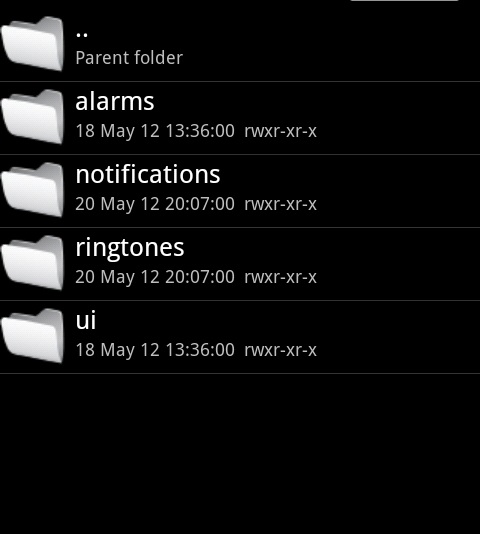
Place the file on the SD Card / media / audio / notifications and then the files will show in system audio directory.... You can do same with Alarm, Ringtones by just creating folders with these labels in same directory as notifications folder..
how do you get to the files to put them on the sd card
You can install file explorer like ES File Explorer and create folders like you do on desktop or you can connect to PC and then create the folders from the PC browser. Click image to animate (I forgot to add the loop command at end)
well...i did it. the ringtone is in the default list of notification tones. now it won't play it. i set the ringtone as normal and it shows to be set but it won't play it when receiving a text. next stop is the verizon techs...
That is a unique one..
all is well. they reset the phone and started over. thanks for the help