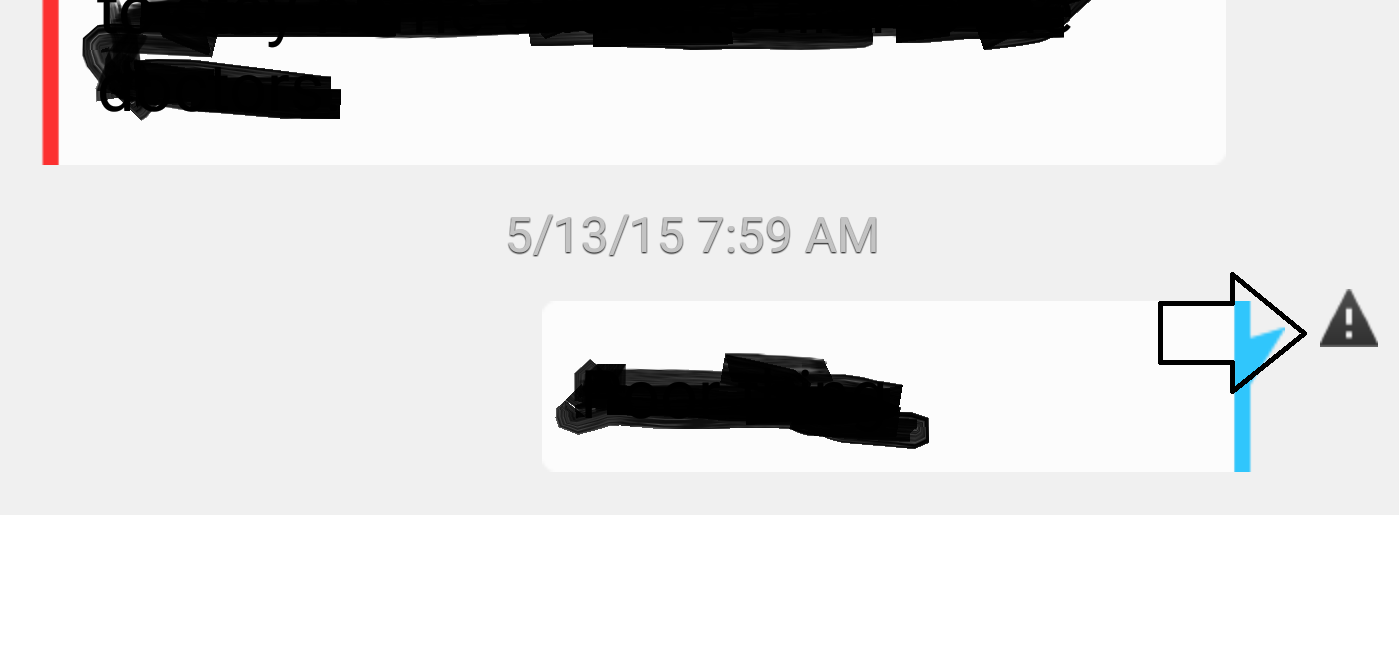
Thanks for the visual Scott, it is very helpful. The exclamation mark indicates that a message in that thread failed. The only way to remove the exclamation mark is deleting the message thread. Finding the specific message that failed and sending it again may also remove the notification.
AntonioC_VZWFollow us on Twitter @VZWSupportIf my response answered your question please click the �Correct Answer� button under my response. This ensures others can benefit from our conversation. Thanks in advance for your help with this!!
Thank you for your quick response! I spoke with Verizon Customer support before this and they weren't able to give me a solution. You are awesome. It took a while for me to scroll through my messages threads, but finally found the culprit. I was able to delete it and voila, the icon is gone. Thank you!
sgibson7,
That's great news! I'm glad it's been resolved. I appreciate you keeping us posted. Enjoy the rest of your day.
JohnB_VZWFollow us on Twitter @VZWSupportIf my response answered your question please click the �Correct Answer� button under my response. This ensures others can benefit from our conversation. Thanks in advance for your help with this!!