Multiple game controllers on stream tv soundbar
- Mark as New
- Bookmark
- Subscribe
- Mute
- Subscribe to RSS Feed
- Permalink
- Report Inappropriate Content
I believe there is a bug in the way the Android 14 build on the stream tv sound bar handles multiple game controllers. I tried to submit a ticket on the soundbar itself, but it kept reporting errors.
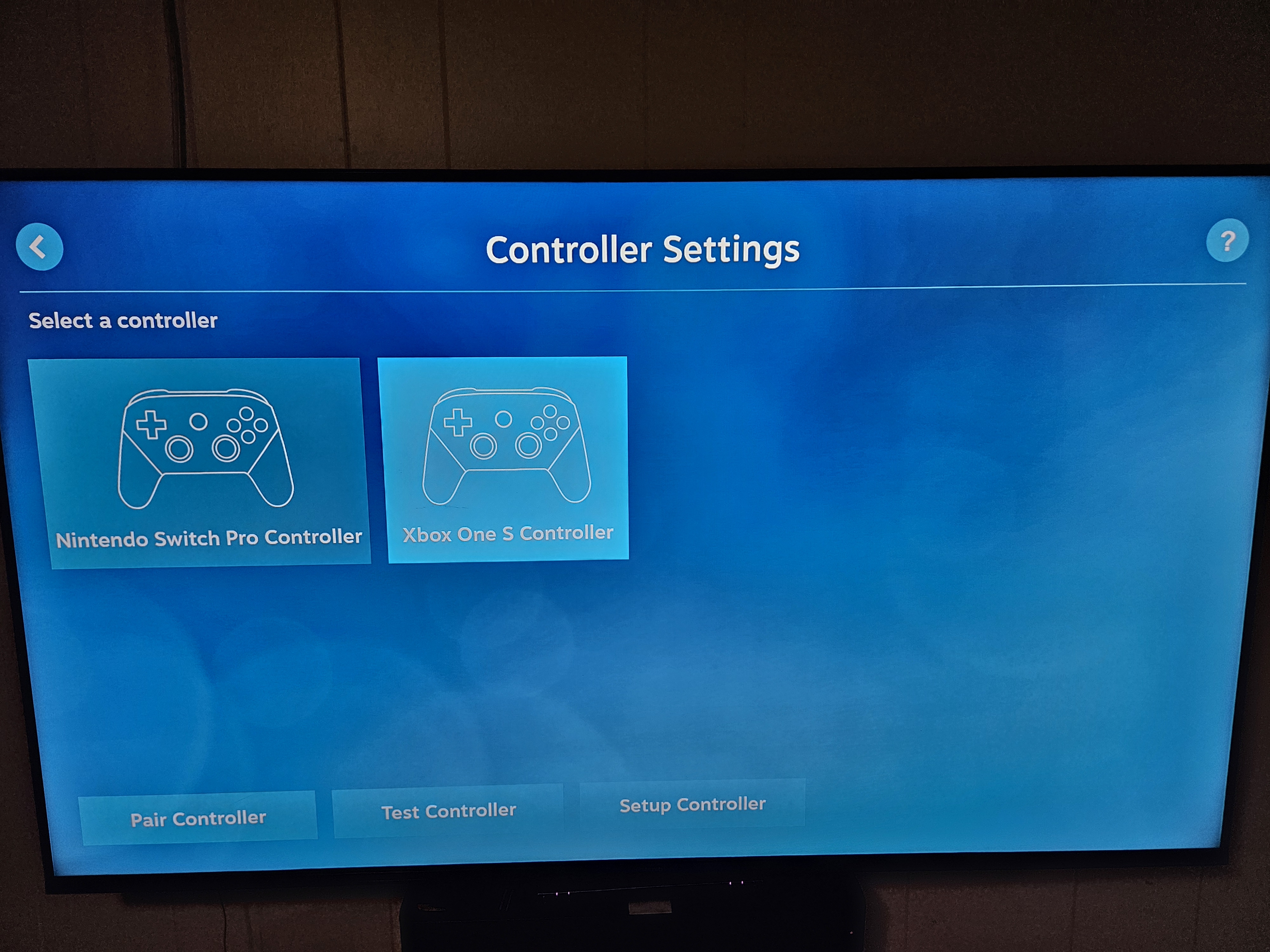
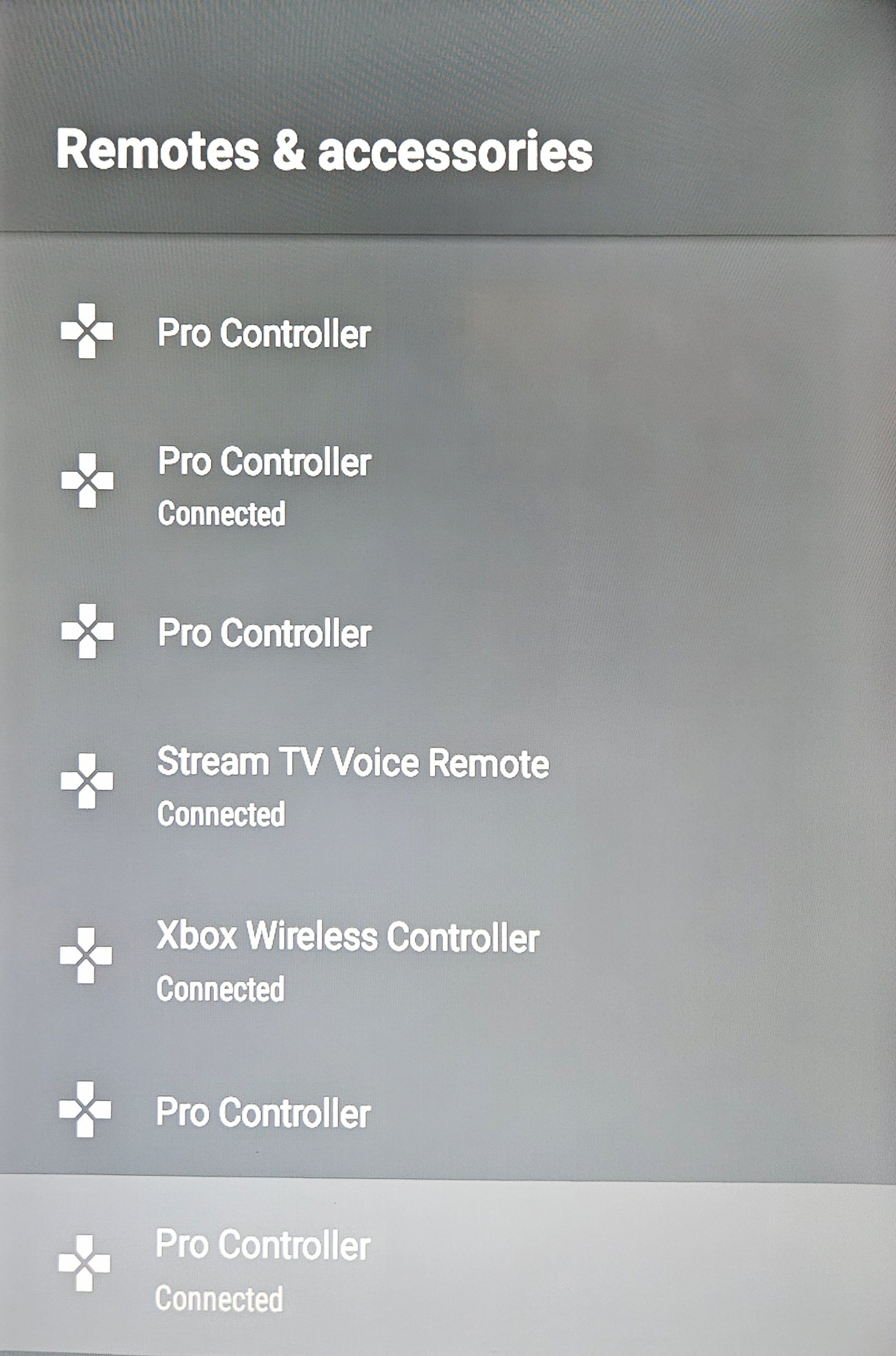
The problem is when I connect two bluetooth game controllers of the same type. If I connect two switch pro controllers, they behave as one controller. The OS reports that both are paired, but gaming apps (e.g., steam link, moonlight, etc.) recognize the two controllers as a single controller. This doesn't happen if I connect a switch pro and an xbox controller, only when connecting two of the same type of controller.
I have several stream tv devices throughout my house and the soundbar is the only device that has this problem.
In the pictures, you can see that three controllers are connected (Pro Controller x 2, Xbox controller x 1) but the OS recognizes the two pro controllers as a single controller.
Solved! Go to Correct Answer
- Mark as New
- Bookmark
- Subscribe
- Mute
- Subscribe to RSS Feed
- Permalink
- Report Inappropriate Content
Hey, sorry to hear you experiencing issues with the software. Have you tried performing a factory reset on soundbar to see if the software issue clears up? I have provided steps how to perform the reset.
Press the Home button Home button on your Stream TV remote to wake up your device.
From the Home screen, select the Settings menu Settings menu icon (upper-right).
Utilize the 5-way navigation pad on the remote to highlight and the center (OK) button to select.
Navigate: Android TV settingsDevice PreferencesReset (at the bottom).
Review the 'Reset' message then select Reset.
Select Erase everything.
Allow a few minutes for the reset to complete.
If applicable, set up the device again. If the Stream TV Voice Remote isn't available, the Remote Control app and a wired connection is required for setup.
^DBU
- Mark as New
- Bookmark
- Subscribe
- Mute
- Subscribe to RSS Feed
- Permalink
- Report Inappropriate Content
Hey, sorry to hear you experiencing issues with the software. Have you tried performing a factory reset on soundbar to see if the software issue clears up? I have provided steps how to perform the reset.
Press the Home button Home button on your Stream TV remote to wake up your device.
From the Home screen, select the Settings menu Settings menu icon (upper-right).
Utilize the 5-way navigation pad on the remote to highlight and the center (OK) button to select.
Navigate: Android TV settingsDevice PreferencesReset (at the bottom).
Review the 'Reset' message then select Reset.
Select Erase everything.
Allow a few minutes for the reset to complete.
If applicable, set up the device again. If the Stream TV Voice Remote isn't available, the Remote Control app and a wired connection is required for setup.
^DBU