I am running WINDOWS 7 and OUTLOOK 2013. I have Office 365, too.
I have followed every screen shot scrupulously and I have had Verizon take over my computer three times, with no success over the past three months since I purchased a new Dell Latitude.
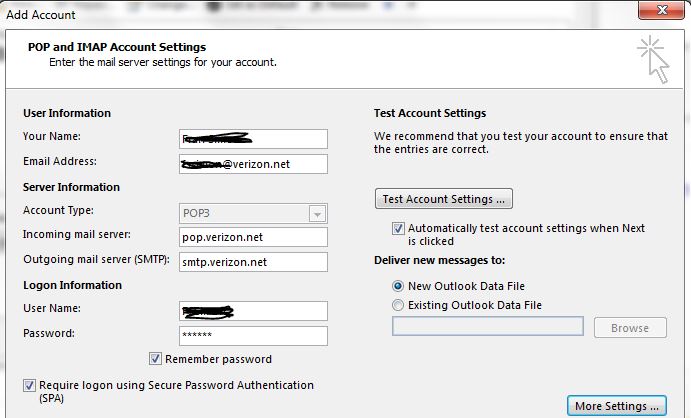
When I use the "test account settings" or click next on the Pop and IMAP Acccount settings dialog, i get a SMPT error:
Send test e-mail message: The operation timed out waiting for a response from the sending (SMTP) server. If you continue to receive this message, contact your server administrator or Internet service provider (ISP).
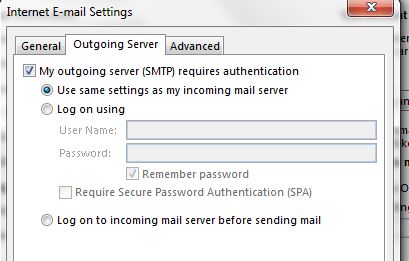
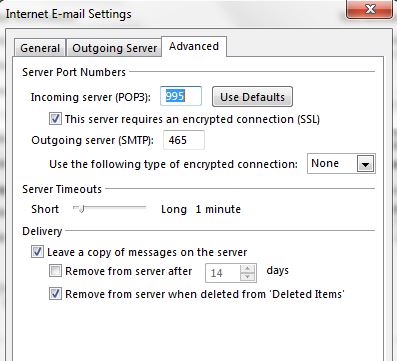
Can someone PLEASE help? Could this have something to do with Office 365?



![Photo of [Deleted User]](https://wf.vanillicon.com/v2/ff561fd21ac4648a22722c9a41808880.svg)