I recently moved and had to cancel my Verizon service, but I kept my email accounts through Your Domain. My primary and secondary addresses will forward to my main email address, but my subaccounts won't.
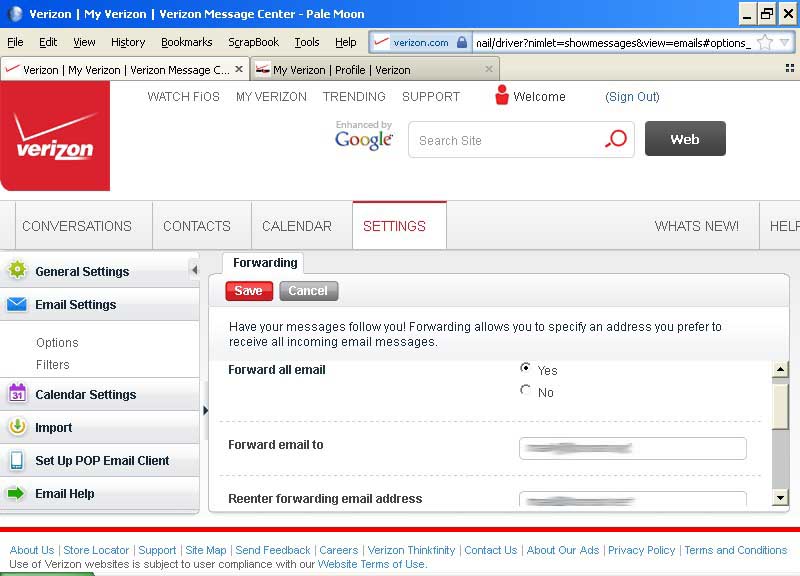
There are two places to change the forwarding settings: in the subdomain account (Settings tab > Email Settings > Forwarding):
and in MyVerizon (Profile > Account Settings > Verizon Email Address > Email Forwarding):
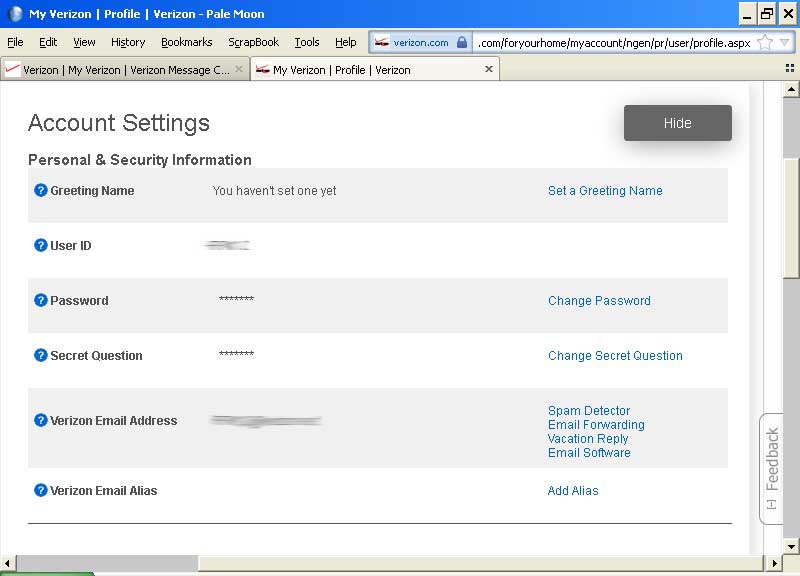
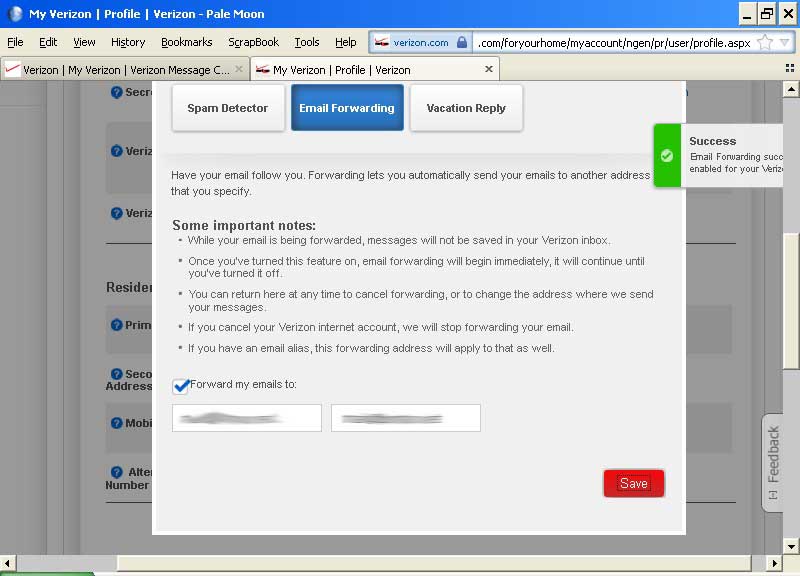
My recollection is that I had to change both of these to get forwarding to work when I had an account. Canceling the account deletes the forwarding (according to Vz's info on both pages).
If I now enter a forwarding address in the subaccount, it stays changed. However, if I enter one in Account Settings, I can save it, and I get a message saying it was successful, but as soon as I refresh the page and open the Email Forwarding link, the "Forward my emails to" address fields are blank and the box is unchecked.
I’ve called customer service and tech support numbers, and I get passed to a rep who's unable to address the problem, because I’m technically no longer a customer and he can't see my account. So, if someone from Verizon is reading this:
1. Is forwarding supposed to work for Your Domain customers? All the forwarding functions are there and seem to be active. If so, why does it work with primary and secondary addresses but not subaccounts?
2. Bonus question: Why do we have to set forwarding in two places instead of just one?
Thanks.


![Photo of [Deleted User]](https://we.vanillicon.com/v2/ed53a0ea8d4610e2e903eda78cf49f29.svg)