I'm using Windows 7 and WLM, and had been using the incoming.yahoo.verizon.net and outgoing.yahoo.verizon.net servers at 110 (in) and 25 (out), no ssl without any problems. I tried changing my setting to the new ones, and failed to be able to access my mail--went back to the old ones, and it works fine--so it's not a problem with the password.
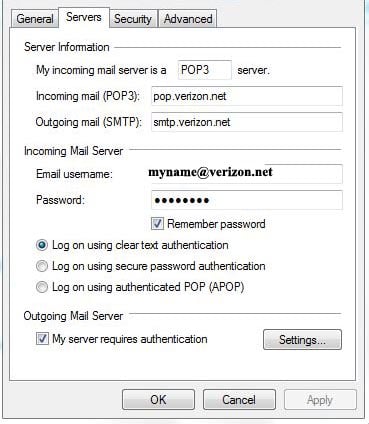
Here are my new settings that don't work:
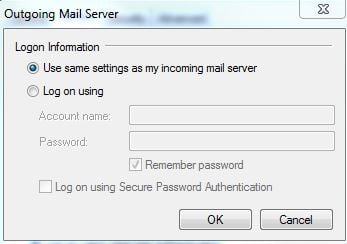
The settings for the Outgoing Mail server:
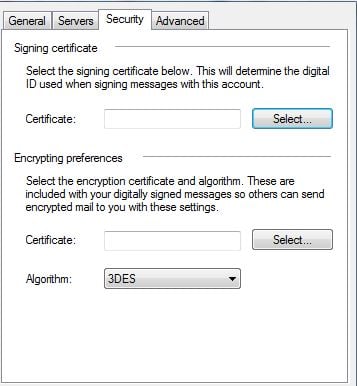
This is the security page:
And finally, the Advanced settings:

When I try to access my e-mail, there is a pause, and then the system asks me for my password:
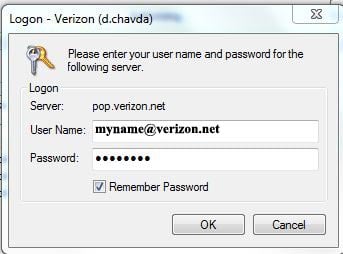
It won't accept the password, and finally when I cancel, I get the following error:
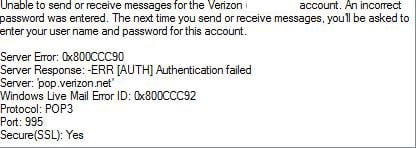
As I said, I know that the password is right, as what I then did was changed the other settings back to the old "yahoo" server settings, dropped the "@verizon.net" from my username, did not change the password, removed the SSL and went back to the old servers and got my messages.
What am I doing wrong?
TIA


