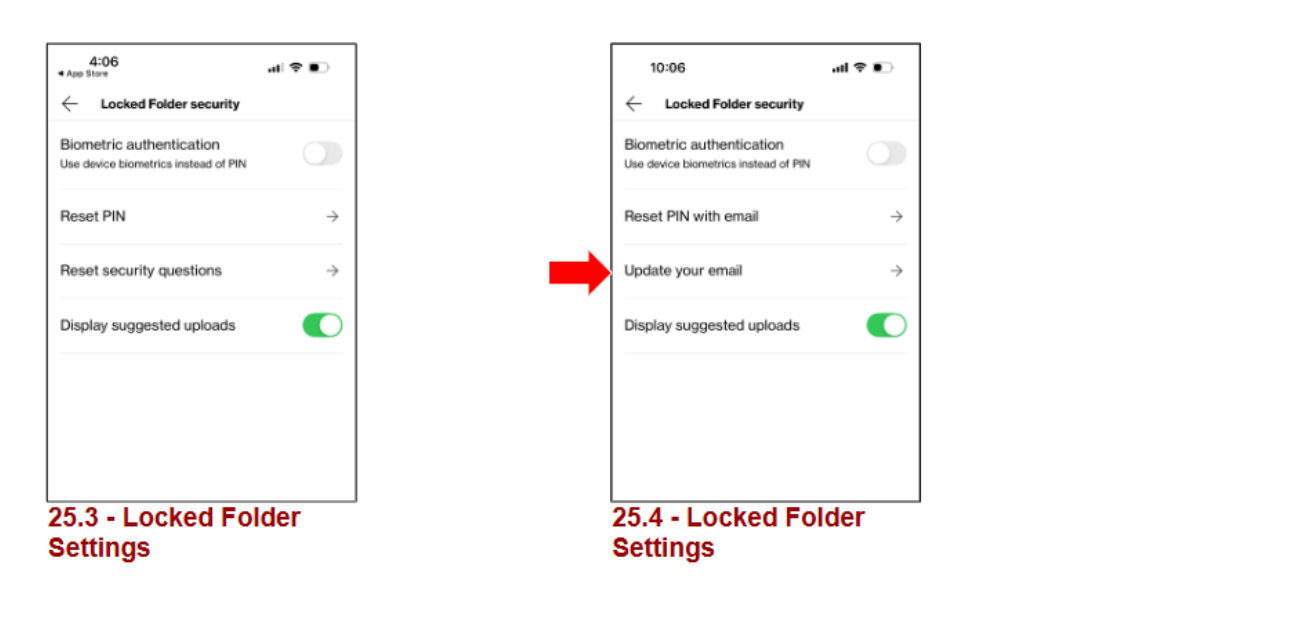
To reset your private folder, please open the Verizon Cloud app and navigate to ‘Settings -> Security’. From there access to the Private folder may be reset. (With VZ Cloud version 25.4 or later)
Locked Folder Mobile
- When you click on Locked Folder (Mobile Only) you will be prompted to set up the 6-digit PIN and other security. (This option can not be done on Desktop)
- Please reset your PIN using your security questions, then when you log in, they will be required to set a recovery email address.
Locked Folder Portal
- You can also reset the pin via the PWA web portal at https://mycloud.verizon.com (NOT https://cloud.verizon.com).
Once you are signed in, you will navigate to the Locked Folder option in the menu on the left hand side of the Home screen.
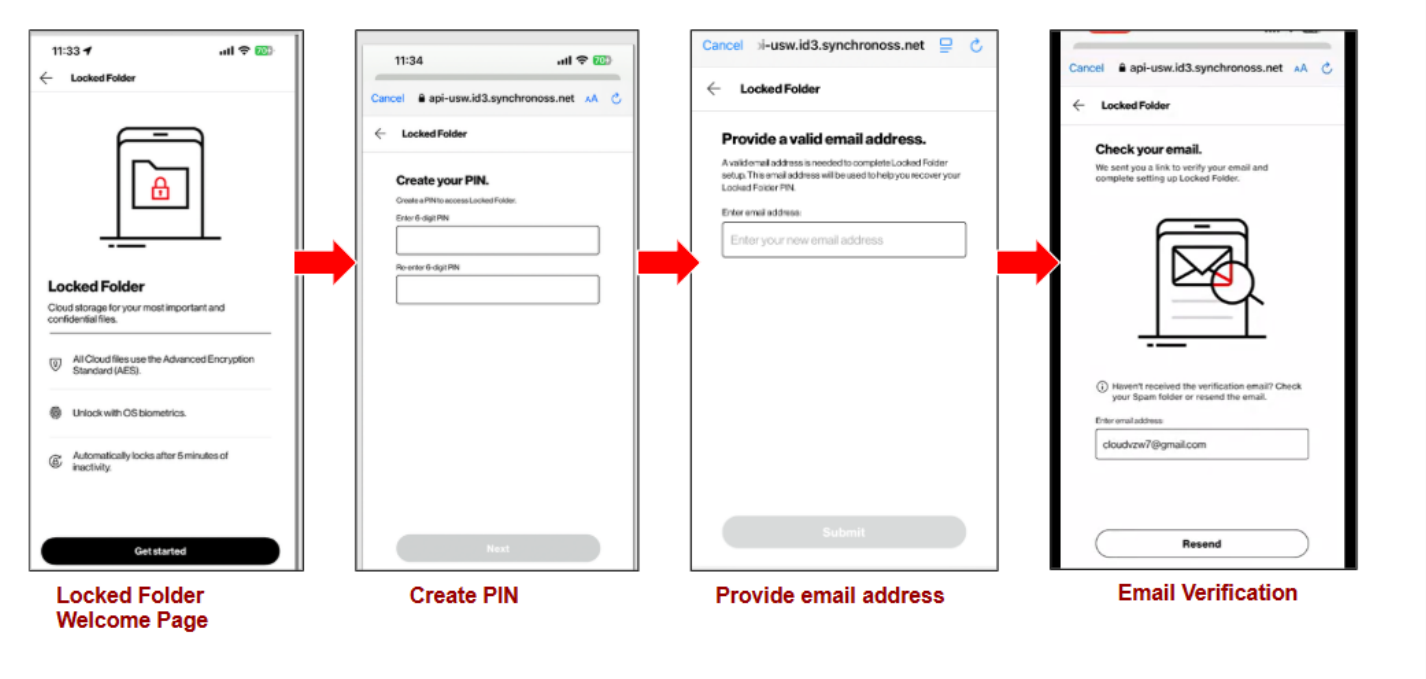
- You will be presented with a pop-up prompting you to Get started. Click on that to continue.
- The next prompt will be to create and verify a new six digit pin. Please do so and then click on Next.
- The next prompt will be to enter a valid email address. Please do so and then click on Verify.
- Next, please sign into the email, look for the email from [email address removed per the Verizon Terms of Service], and click on Verify email address.
- After verifying your email address, you will receive a verification confirmation message, at which point you will be able to access their Locked folder once more.
If the above steps fail, you can email the Verizon Cloud support team, Visit a Verizon store and file an AYS ticket or go online and submit an instabug for us to take a more in-depth look at the issue.
Please Note:
• Registering for OTT will no longer be required to access the Locked Folder.
• New and Existing Locked Folder users will be prompted to verify an email
• address before being able to access the Locked Folder.
• The existing Reset Security Questions option in Settings will be removed
• and replaced with an Update Email Address option.
• Additionally, document scanning in the Locked Folder will no longer use
• the Real SDK and will instead use native device capabilities (Apple Vision
• Kit for iOS and Google ML Kit for Android).